For your craft
Stream your DJ sets with visuals behind you
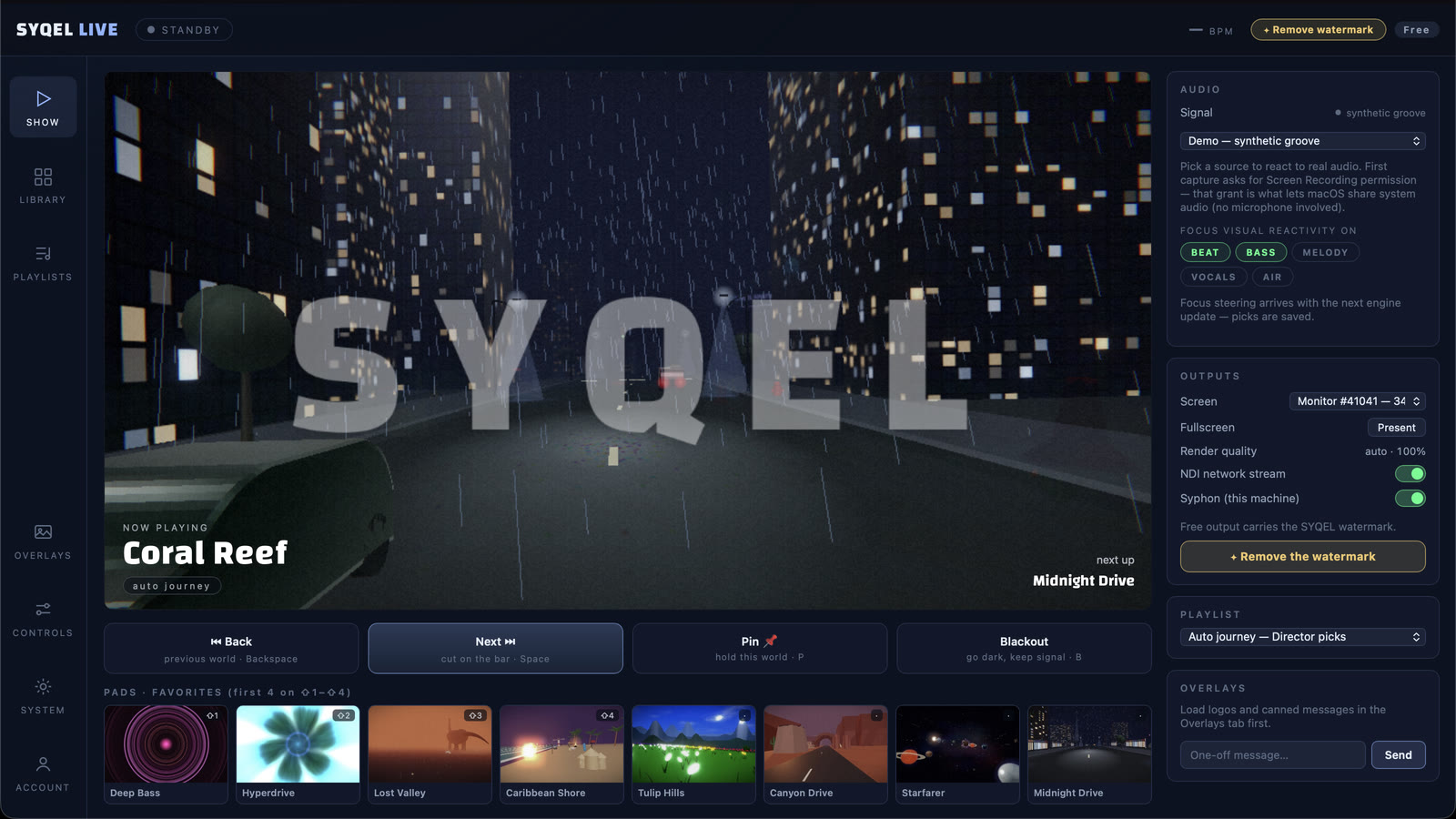
SYQEL Live puts your camera on a virtual stage, runs visuals that follow your mix, and sends the show to every platform you stream on. One app, no OBS scene to build.
Free to try · Windows & macOS · No card required
Recording sets to post rather than streaming them? SYQEL Desktop →
A DJ stream is you, a camera and the music. SYQEL Live builds the rest. It cuts you out of the room with a green screen or the automatic cut-out, stands you on a virtual stage, and fills the screens around you with visuals that react to your mix: the kick, the snare, the hats and the bassline each move something different. Pick the platforms you stream to and go live on all of them from the same window. Live records the show on your computer while it goes out, so the set is ready to post afterwards.
How SYQEL Live works for DJs who stream
Play your set as usual
Run Serato, rekordbox, Traktor or any DJ software. SYQEL Live listens to the music on your computer, so there is nothing to wire into your decks.
Step onto a stage
Turn on your webcam, key out your green screen or use the automatic cut-out, and pick a virtual stage. The visuals play on its screens.
Pick your platforms and go live
Add Mixcloud Live, Twitch, Kick, YouTube or any RTMP server, then press Go Live. Every platform gets the same show, and Live records a copy as you stream.
Mixcloud, Twitch and Kick in one set
Keep your Mixcloud followers and reach Twitch and Kick viewers with the same set. Twitch and Kick connect in one click.
Visuals that follow the mix
Each part of the music moves its own part of the picture, so a breakdown looks different from a drop without you touching anything.
A booth on screen
A virtual stage puts screens and light around you instead of your bedroom wall. A plan unlocks every stage, including the premium ones.
Your set, kept
Record while you stream and you end the night with a file of the whole set, ready to upload.
Start here
All tutorials →
SYQEL Live quick start: multistream your DJ set on a virtual stage in 5 steps
Connect your DJ audio and camera, pick a stage, add your platforms and go live on all of them at once.
Stream to more than one platform
SYQEL Live sends the same show to every platform you add, at the same time. How to connect each one:
Free to try. A plan takes the watermark off.
Stream free with the SYQEL watermark in the booth, with every visual pack. A SYQEL Live plan is $25 a month or $249 a year. For one show, a $20 Gig Pass covers 24 hours in SYQEL Live and SYQEL Desktop.
Frequently asked questions
Do I need OBS?
No. SYQEL Live streams by itself: your camera, the stage, the visuals and the sound all go out from one app. If you also want the visuals on venue screens, Live has NDI and Syphon output.
Where can I stream DJ sets?
Where a platform allows DJ sets is up to that platform, not SYQEL. Mixcloud Live is made for DJ mixes. Other platforms have their own rules on recorded music, so check them before you go live.
Will viewers see a watermark?
On the free version, the SYQEL watermark sits in the booth. A SYQEL Live plan or a Gig Pass removes it.
What if I record sets to post rather than stream them?
Then SYQEL Desktop fits better. It records your set with visuals in four formats at once, ready for YouTube, Reels and TikTok.
Related setups
Ready for your next stream?
SYQEL Live is free to try on macOS and Windows.