Account Sync (Web & Desktop)

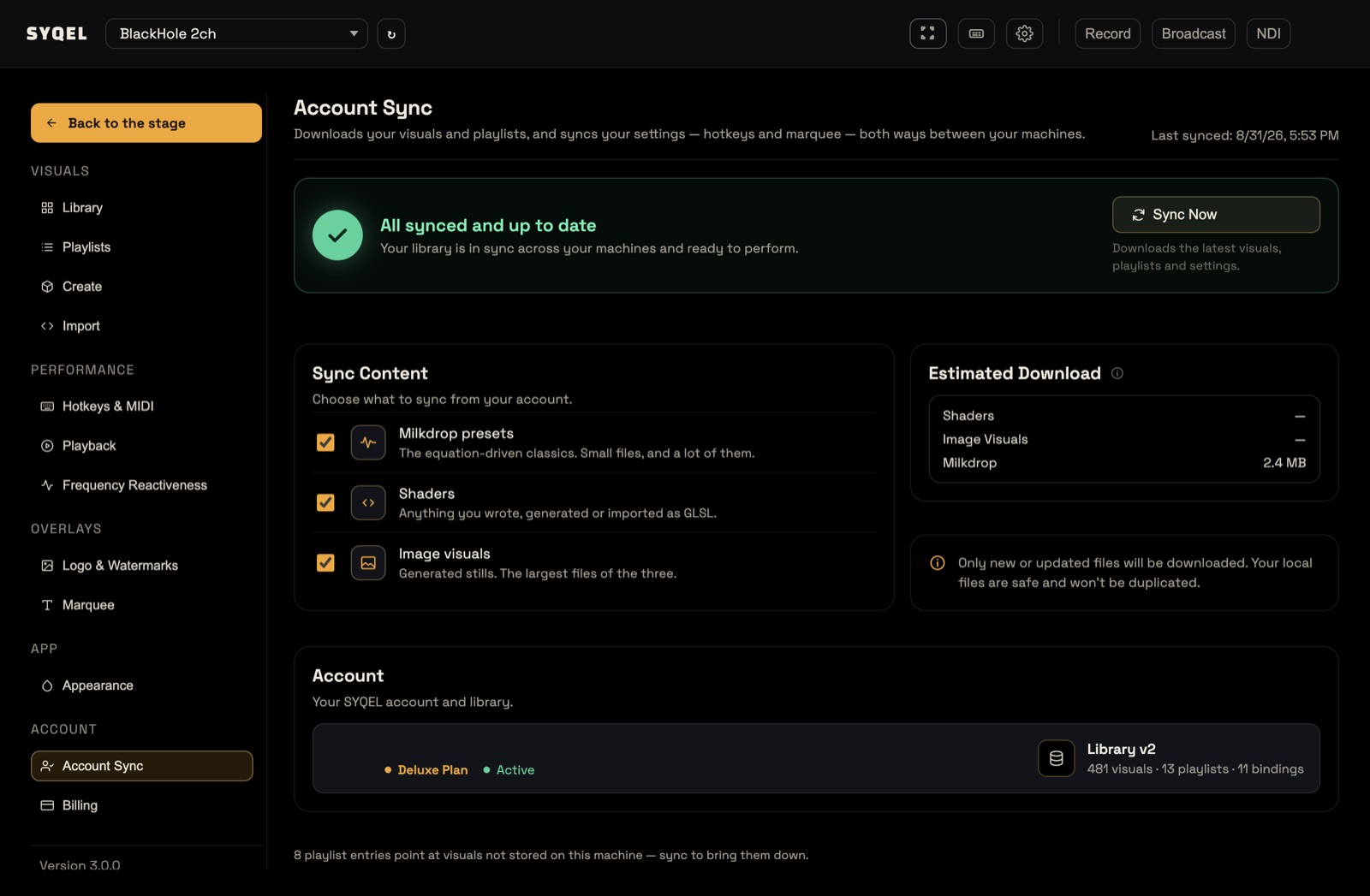
Account Sync keeps your SYQEL the same wherever you sign in: in SYQEL Desktop on each of your computers, and on vj.syqel.com. Find it in Settings › Account Sync.
What syncs
- Your visuals. Choose what to download under Sync Content: Milkdrop presets, Shaders and Image visuals. This includes the visuals you generated in Create.
- Your playlists, both ways. A playlist you make or change on one computer appears on the others after they sync.
- Your hotkeys and marquee, both ways.
- Your SYQEL Studio visuals, in SYQEL Desktop. Sync Now also checks Studio for changes. See Play your SYQEL Studio visuals in SYQEL Desktop.
Your logos, Frequency Reactiveness presets, Playback settings and Appearance theme stay on the computer or browser where you set them. Your plan and your AI credits belong to your account, so they are the same everywhere without syncing.
On SYQEL Desktop
The first time you sign in on a computer, SYQEL asks you to Bring your visuals to this computer:
- Sync my visuals downloads your library. It takes a few minutes, and you can keep using the app while it runs. After that, everything plays fully offline.
- Not now skips it. The built-in worlds and scenes still play, but your own generated visuals and shaders won’t appear until you sync.
To sync later, or to pick up changes you made elsewhere:
- Open Settings › Account Sync.
- Tick what you want under Sync Content. Estimated Download shows how much will download.
- Click Sync Now.
The status card reads All synced and up to date when it’s done. Only new or changed files download, so syncing again is quick. Syncing needs an internet connection.
On the web
The web app loads your library from your account, so there is nothing to download. It syncs on its own when you open it, if it has never synced or last synced more than a day ago. To pick up a change right away, open Settings › Account Sync and click Sync Now.
Something missing?
- Make sure you signed in with the same method as on your other computer, such as Google or an emailed link.
- Click Sync Now on the computer where you made the change, then again on the one where it’s missing.
- If a playlist says some visuals are “no longer available, and skipped”, those visuals aren’t on this computer. A sync restores any your account still has.
Did this help? If you’re still stuck, email [email protected].