Stream with SYQEL Live
Music visuals for your Twitch stream, live from one app
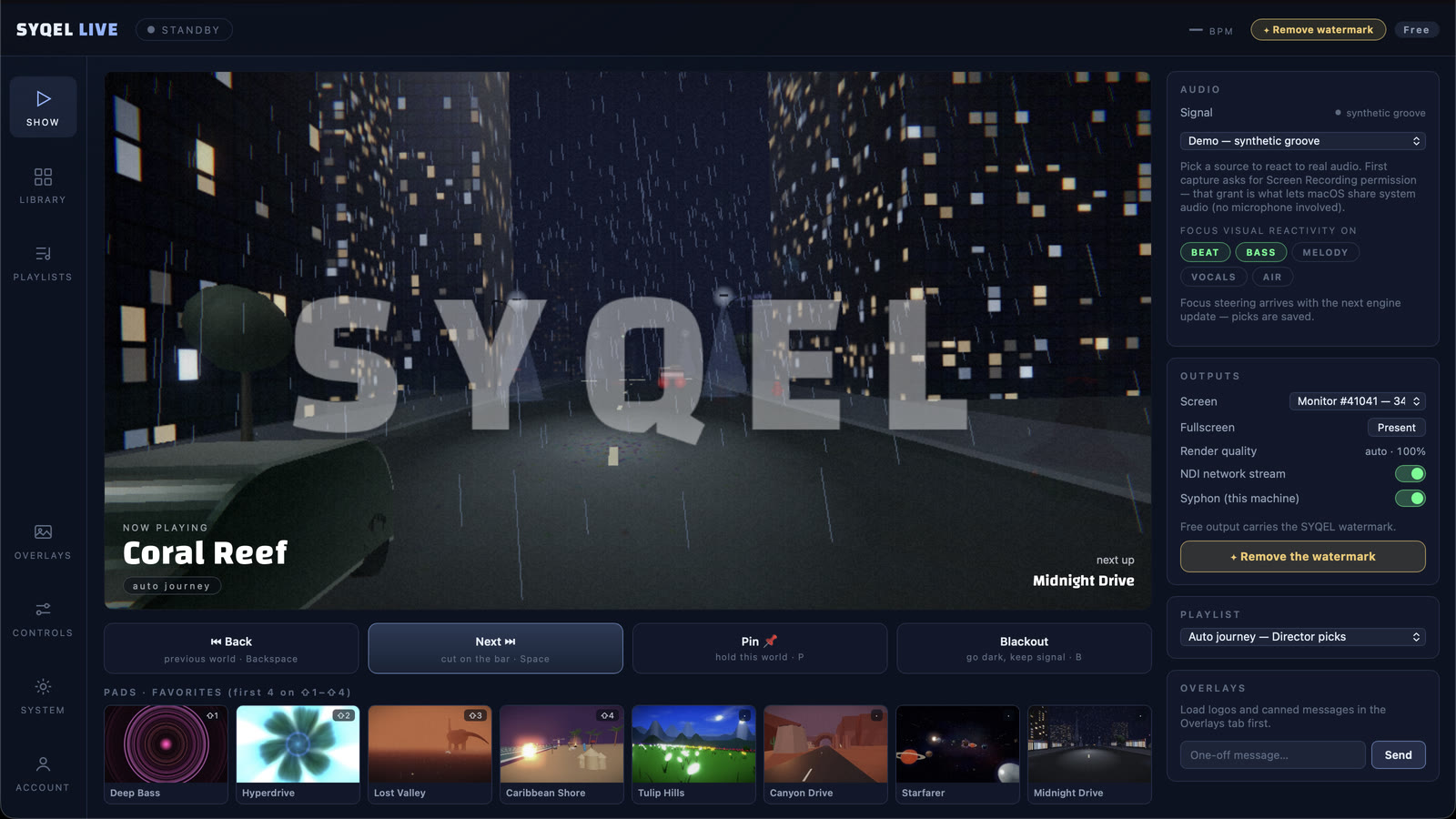
Sign in to Twitch from SYQEL Live and it fills in your stream key. Put yourself on a virtual stage, run visuals that follow the music, and press Go Live.
Free to try · Windows & macOS · No card required
Running visuals for a venue or a VJ set instead? SYQEL Desktop →
The Twitch music and DJ categories are full of streams that look alike: a webcam and a still frame. SYQEL Live gives your channel a stage instead. The visuals react to the music as it plays, your camera sits in front of them, and the whole picture goes to Twitch without building an OBS scene. If you also stream on Kick or YouTube, add them and the same show goes to all of them at once.
Go live on Twitch with SYQEL Live
Connect Twitch
Choose Twitch in the destinations and press Connect. You sign in to Twitch and Live fills in your stream key. You can also paste the key from the Twitch Creator Dashboard.
Set your scene
Turn on your webcam, pick a stage and choose the visuals. Live listens to the music playing on your computer.
Go live
Test your connection, then press Go Live. The stream appears on your Twitch channel, and Live can record a copy as it goes.
Stand out in the music categories
A stage with moving visuals behind you looks different from a webcam and a still frame.
Twitch, plus Kick and YouTube
Add other platforms next to Twitch and stream to all of them together.
Your channel on screen
A paid plan lets you show your own logo and images, so clips cut from the stream carry your channel.
A copy that does not expire
Twitch removes past broadcasts after a while. Record while you stream and the full show stays on your computer.
Start here
All tutorials →
SYQEL Live quick start: multistream your DJ set on a virtual stage in 5 steps
Connect your DJ audio and camera, pick a stage, add your platforms and go live on all of them at once.
Stream to more than one platform
SYQEL Live sends the same show to every platform you add, at the same time. How to connect each one:
Free to try. A plan takes the watermark off.
Stream free with the SYQEL watermark in the booth, with every visual pack. A SYQEL Live plan is $25 a month or $249 a year. For one show, a $20 Gig Pass covers 24 hours in SYQEL Live and SYQEL Desktop.
Frequently asked questions
Do I need OBS to stream to Twitch with SYQEL?
No. SYQEL Live encodes and sends the stream itself. If you would rather build your stream in OBS, SYQEL Desktop can feed its visuals into OBS instead.
Will the visuals react to music from Spotify or a DJ app?
Yes. Live reacts to the music playing on your computer, whichever app it comes from. What you may play on Twitch is set by Twitch’s music rules.
Can I stream to Twitch and Kick at once?
Yes. Connect both and they get the same show. Your upload has to carry each stream, so test your connection first and Live suggests a quality that fits.
Ready for your next stream?
SYQEL Live is free to try on macOS and Windows.