AI Visuals
SYQEL uses AI in three ways: the Image Visuals feed, a collection of AI-made pictures that move with your music; the Create screen, where you describe a new visual and SYQEL generates it for you; and Refine with AI, where you change a shader you made by describing what’s different.
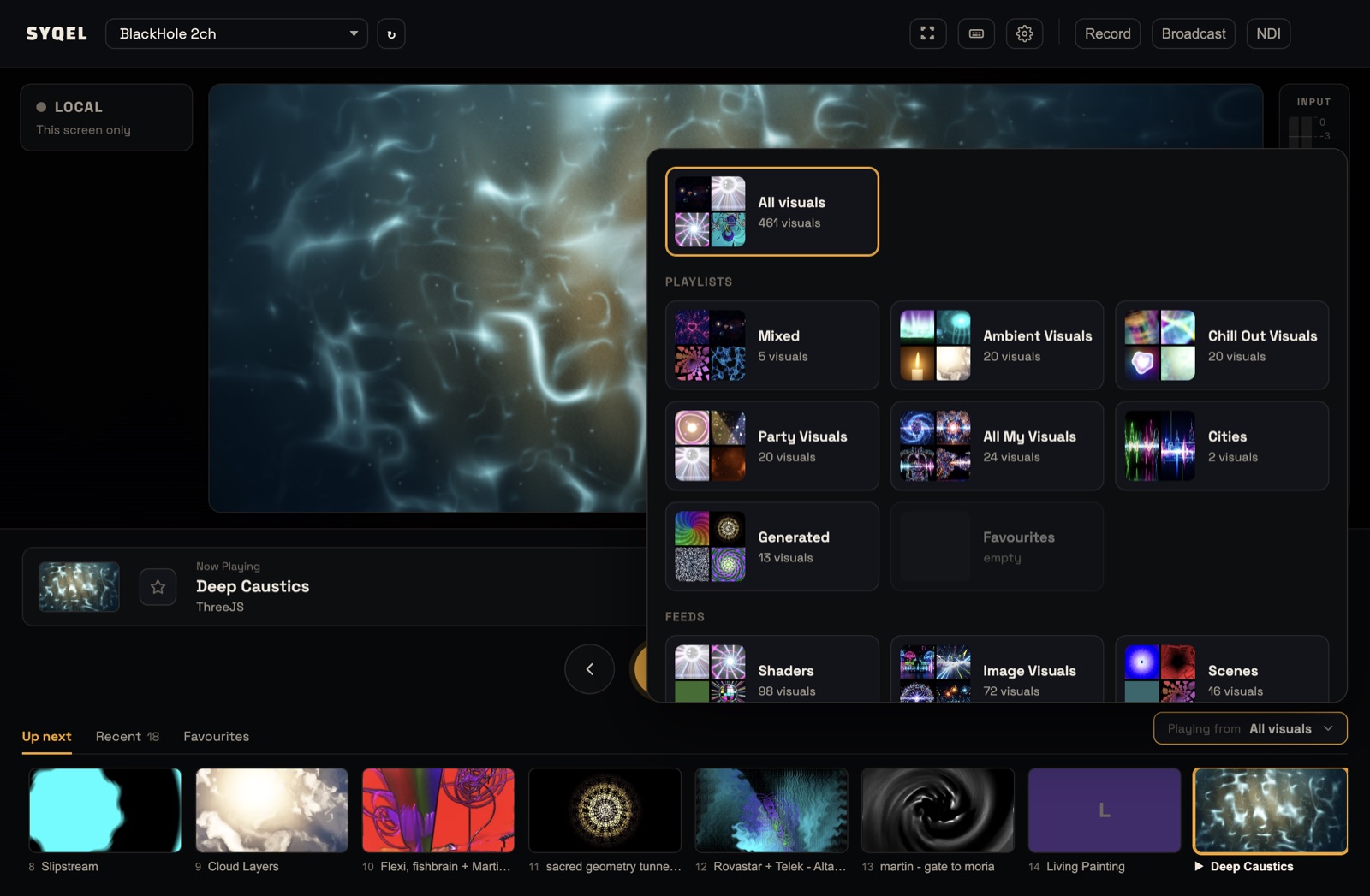
Play the Image Visuals feed
Click Playing from at the right of the performance bar and choose Image Visuals under Feeds. To play only some of them, add them to a playlist and pick that playlist instead. See Creating a visual playlist.
Create your own
- Click the Settings cog in the top bar and choose Create.
- Pick Shader or Image.
- Describe what you want in Visual description. For an Image, also choose an Aspect ratio and an Art style.
- Click Generate, and play some music to see the result react.
- Click Save to keep it in your Library, or Save and Edit to open it there and tune it or add it to a playlist.
For a Shader, you can type a change under Adjust it and click Adjust. Adjusting is free.
Refine with AI
Made a shader with AI and want to change it later? Do it from the Library.
- Open Settings › Library and click the shader you made.
- Under Refine with AI, type what should change in What should change? For example: “more stars moving on their own; as the music builds, more of them move together on the beat”.
- Click Refine (or press Cmd+Enter on a Mac, Ctrl+Enter on Windows). The button reads Refining… while it works.
- The new version plays in the preview. Refine it again to build on it, or click Discard the refine to go back to how it was.
- To keep it, click Save changes, or Save as a copy to keep the original too.
Refining is free. It doesn’t use an AI credit.
Refine with AI shows only for shaders you made with AI on your account. If a refine doesn’t run, SYQEL won’t save it: refine again, or discard it.
AI credits
Each new visual from Create uses one AI credit. Shaders and Images use the same credits. The Create screen shows how many you have left, for example “12 AI credits left”. A generation that doesn’t finish doesn’t use a credit.
When you run out, SYQEL opens the store at AI credits. See SYQEL Desktop plan, Gig Pass and AI credits.
Did this help? If you’re still stuck, email [email protected].